Location preference

Enter your country so we can show you products that are available for you.

Access Point

Healthcare often involves adding something to a patient’s system, from blood to saline to oral medications. But taking something out of the body can also be effective. Red blood cell (RBC) depletion is a perfect example. The procedure removes excess or defective RBCs from a patient’s bloodstream. It can be used to reduce a patient’s disease-related complications.

Here, we highlight steps for performing an RBC depletion on the Spectra Optia Apheresis System.

Apheresis versus phlebotomy

It’s interesting to note that RBC depletion may be achieved without Spectra Optia by performing a therapeutic phlebotomy. However, phlebotomy removes whole blood, not just RBCs. An apheresis red blood cell depletion — as performed with Spectra Optia — may be beneficial for some patients because it removes only RBCs.

The apheresis depletion is also an isovolemic procedure: Because replacement fluid is added as RBCs are depleted, total volume doesn't change. This may allow for more precise control of the target hematocrit (Hct), may permit a more rapid depletion to the target Hct, and may make the depletion better tolerated by patients.

Now let’s look at the steps you'll take to complete an apheresis red blood cell depletion on Spectra Optia.

 
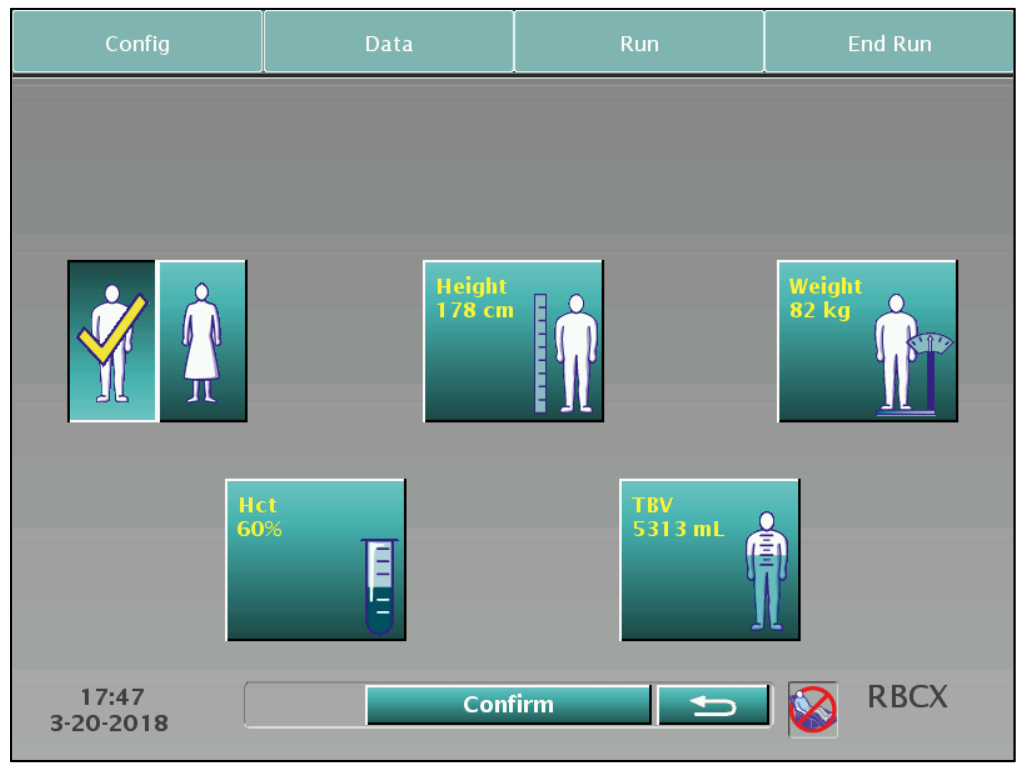
Step 1: Entering patient data

Fill in the required information on the patient data screen.

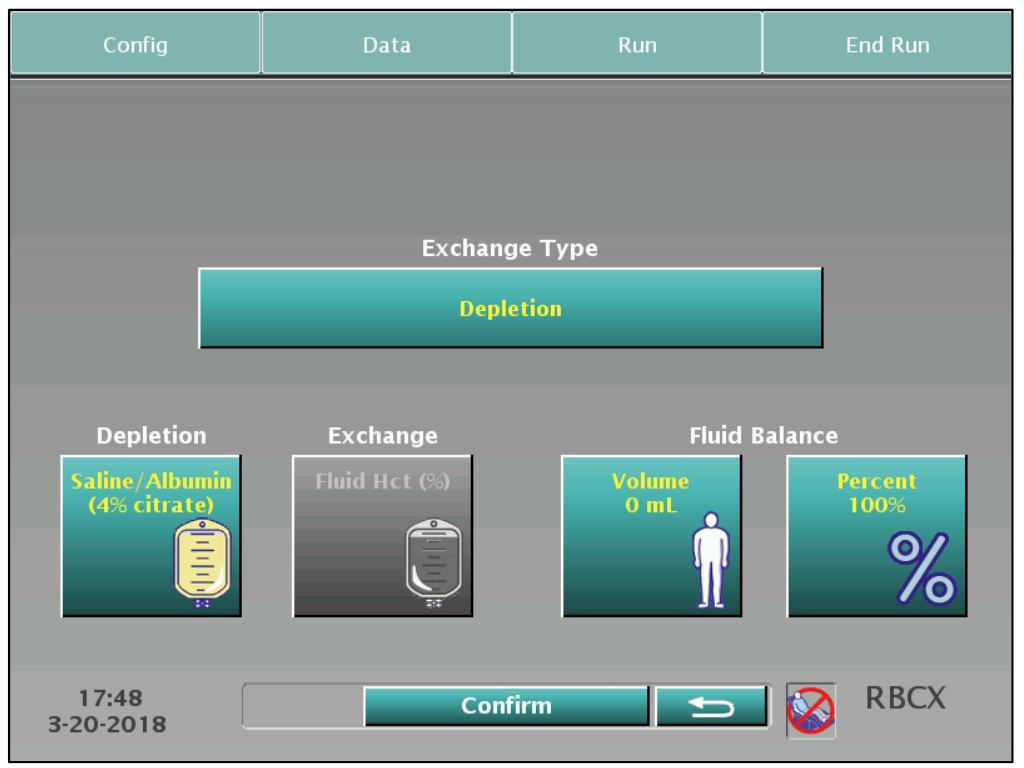
Step 2: Choosing the procedure and entering fluid data

On the fluid data screen, choose Depletion from the drop-down menu. Note that "RBCX" will still be displayed in the lower right corner of the screen, because RBC depletion is one of the three exchange protocols that can be performed using Spectra Optia.

Next, select the type of replacement fluid you will use from the drop-down menu. (The button to access the menu is activated after you select Depletion.) For an RBC depletion procedure, you’ll typically choose either saline or albumin, depending on the physician’s order.

Once you select the replacement fluid type, enter the fluid balance target. Keep in mind the system will default to no rinseback for this procedure, as with a red blood cell exchange.

 
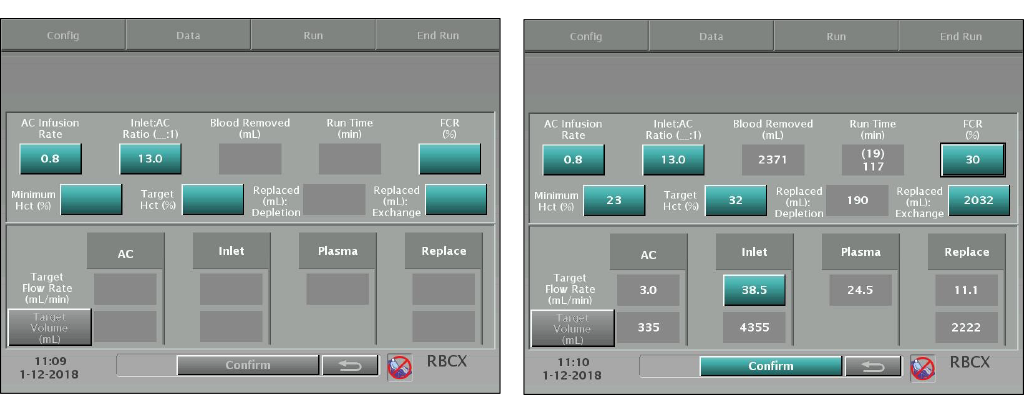
Step 3: Entering run values and spiking replacement fluid

Once you confirm the information shown on the fluid data screen, you'll see the run values screen appear. Enter the target Hct% based on the physician’s order. Spectra Optia will calculate the rest of the system parameters for the procedure, including the replacement fluid volume needed.

Once you confirm the information on the run values screen, follow the on-screen instructions to spike the replacement fluid.

 
Step 4: Viewing the main run screen

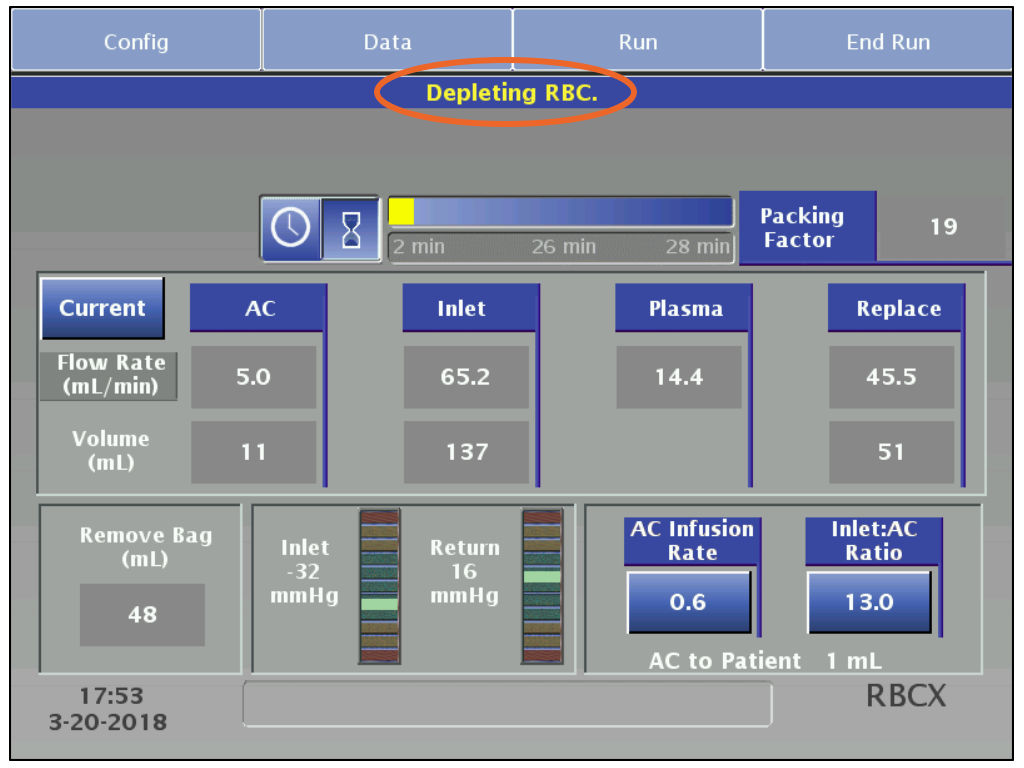
You'll now be taken to the main run screen, which will look the same as for a Spectra Optia exchange procedure except that the message bar will display "Depleting RBC."


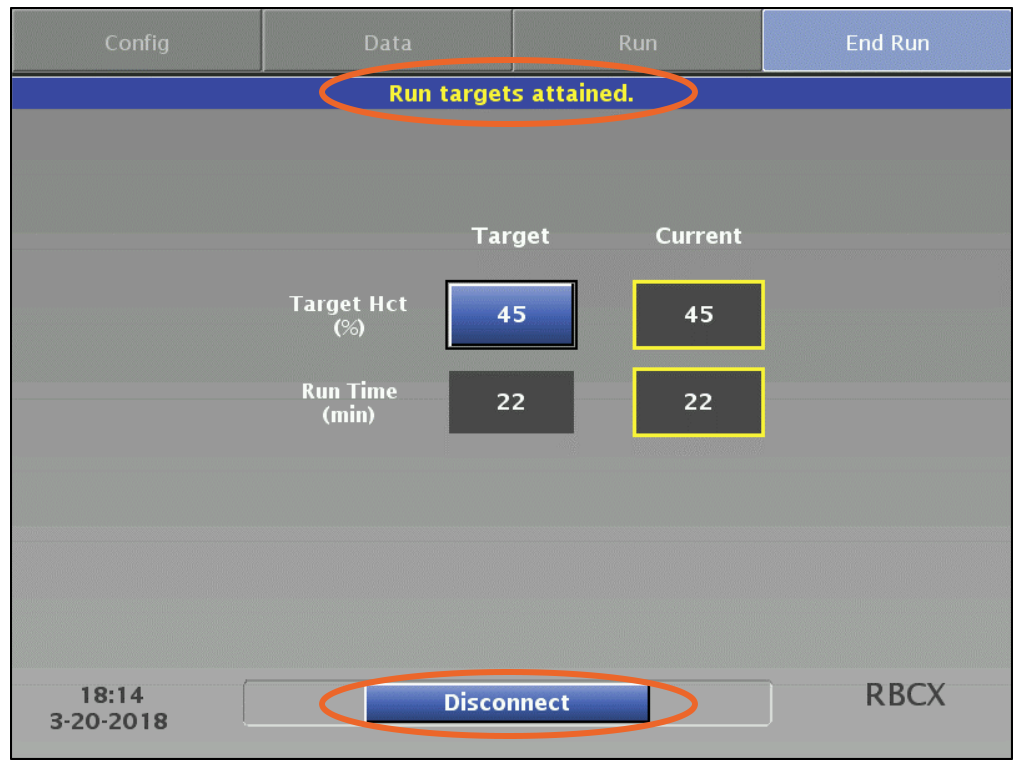
The procedure will continue until the run targets attained screen appears. For a red blood cell depletion procedure, the ending target is the target Hct%.

At the end of the procedure, the system will default to show the Disconnect button.

 
Step 5: Reviewing the summary

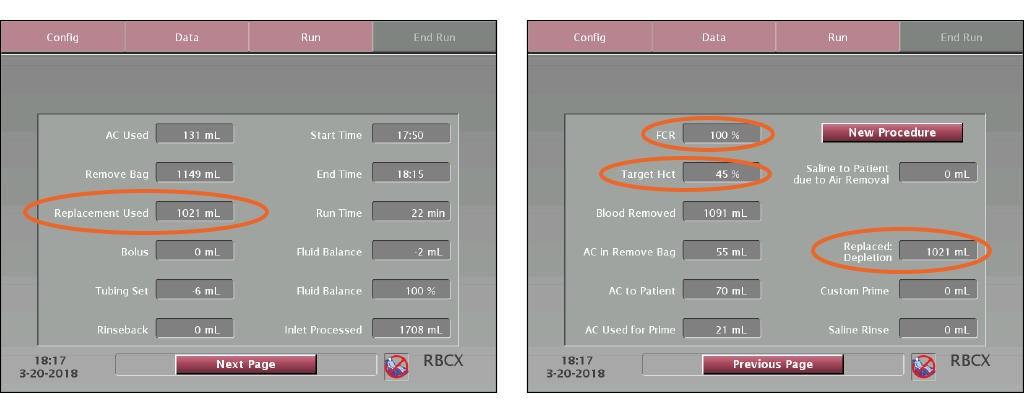
The first page of the procedure summary screen is the same as for an exchange procedure. The fraction of cells remaining (FCR) on the second page is always 100% for an RBC depletion because there are no red blood cells given during this procedure.

Note that the replacement fluid volume will be listed on both the first and second pages of the summary. On the first page, it is shown in the Replacement Used field. On the second page, it is in the Replaced: Depletion field.

 
The bottom line

While red blood cell depletion is not widely used in some locations, it’s an important procedure to understand — one that might make a difference for a patient. If you have questions or want to learn more about this or other Spectra Optia procedures*, contact your Terumo Blood and Cell Technologies representative.

*Procedure availability varies by country

To top